Redirect Interior Sections
To create a temporary redirect you can use the Redirect Interior Section template.
To use this template you must use the new button (as if you were creating a new page or section). You will then select the "New Redirect Interior Section" option.
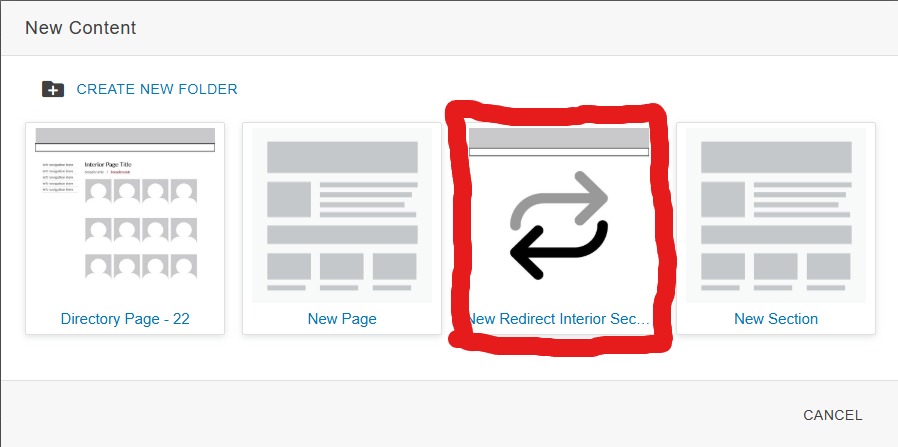
Upon selecting the redirect interior section option you will then be presented with a form to fill out.
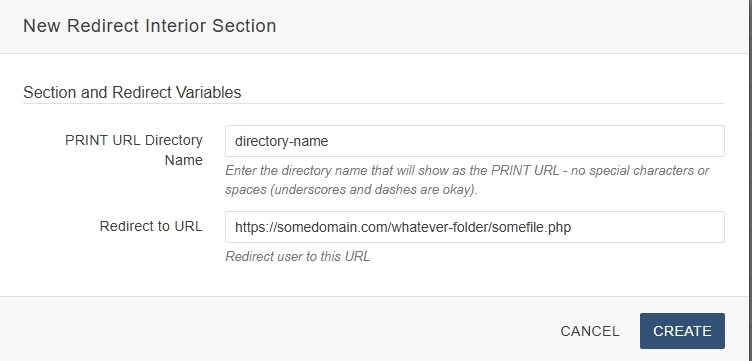
In the PRINT URL Directory name put the text of what you want your redirect to be, not including the subdomain. For example, to create https://webfirst.uark.edu/redirectme, type 'redirectme' in this field.
In the redirect URL you will copy and past the URL you want to redirect your visitors to.
Once these fields are popluated you will need to publish the page that is created (all you will see on it in the editor is a PHP code block). This will then create an index.php in the section you are redirecting which will cause the redirect to occur. Once you no longer need the redirect you can delete the folder containing the redirect index.php.