News API Builder
To create a news API for use on your webpage first navigate to News API.
You will see that there are two formats available. RSS Feed or JSON, however the JSON format is the only format that should be used.
Once you have selected JSON you will then select to build your API using either topics/colleges or keywords.
If you choose the topics/colleges option you will be presented with this menu:
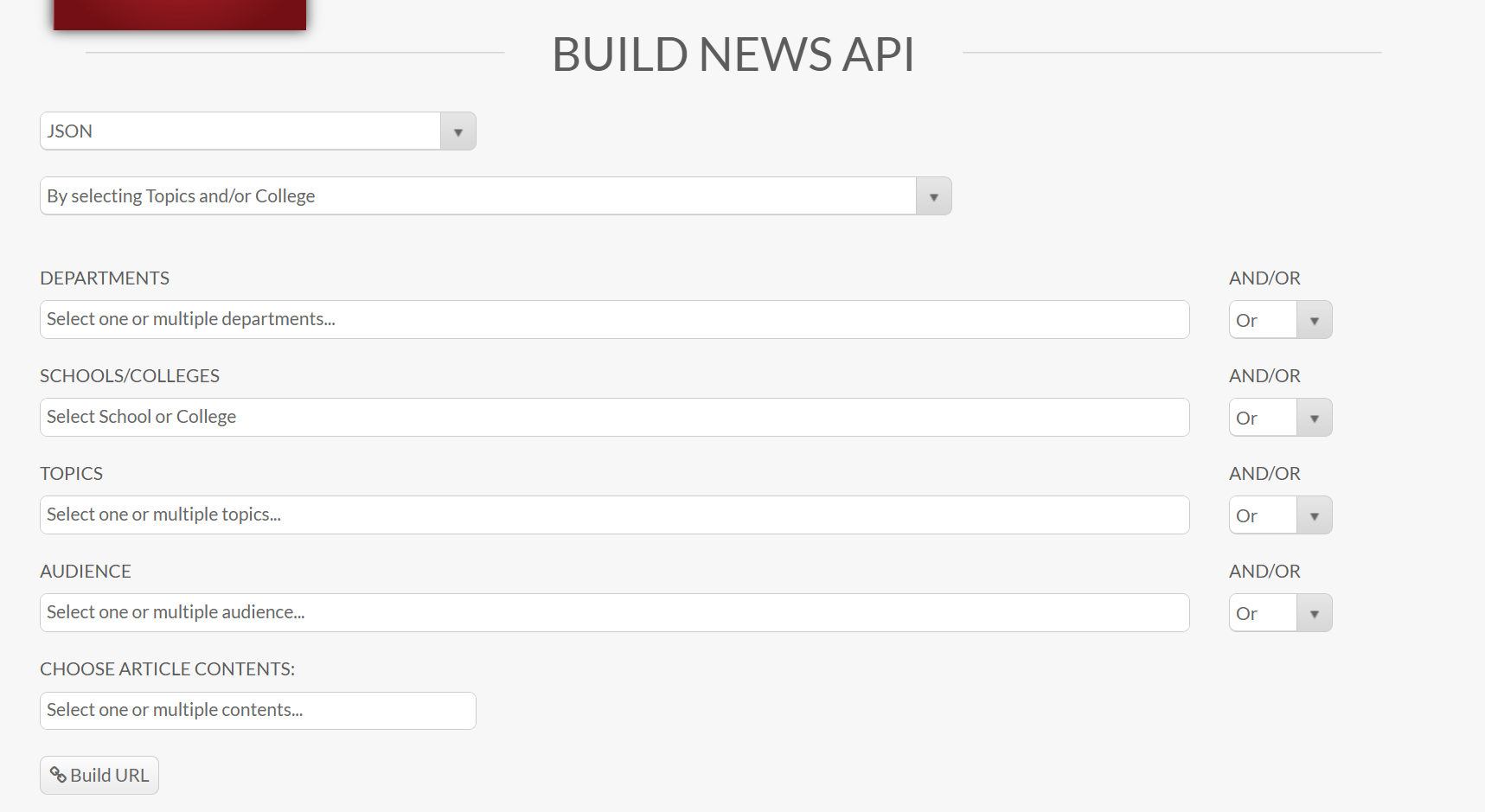
- You pick whether you want to do it by selecting Topics/college or keywords
- The topics/college option allows you to filter by department, college/school, topics, audience, and article contents
- The keywords option allows you to enter multiple comma separated keywords and then select article contents to filter by
- On all options you will click build URL after selecting your filters.
Note: Using OR instead of AND will get you better results as AND will filter out results that don’t meet all criteria. Additionally choosing fewer options will also result in a more streamlined result that is more likely to be relevant.
Once you have built the URL you can use the “see demo” button at the bottom to see what your results will look like. To utilize the results you will need to copy/paste the content from the boxes into your page so that it will work. Do not forget to place the required script tag into the headcode.
If you want your page to look and feel more like the Arkansas News website you can use the detailed code to get a page that more closely resembles the normal news website.
There are also some hidden options that can be built into the API as well.